---
title: SignCaption Mobile Update
description: Discover the redesigned SignCaption mobile editor, making caption creation and editing easier than ever, all from your phone. Experience intuitive controls and AI voiceovers.
image: https://blog.sign-speak.com/hubfs/SEOThumbv2.png
---
[](https://sign-speak.com/)
[For organizations](https://sign-speak.com/for-enterprises) [For Individuals](https://sign-speak.com/community)
☰
[For Organizations](https://sign-speak.com/for-enterprises) [For Individuals](https://sign-speak.com/community)
# SignCaption Mobile Update
[Author: Sign-Speak Team](https://blog.sign-speak.com/author/sign-speak-team)
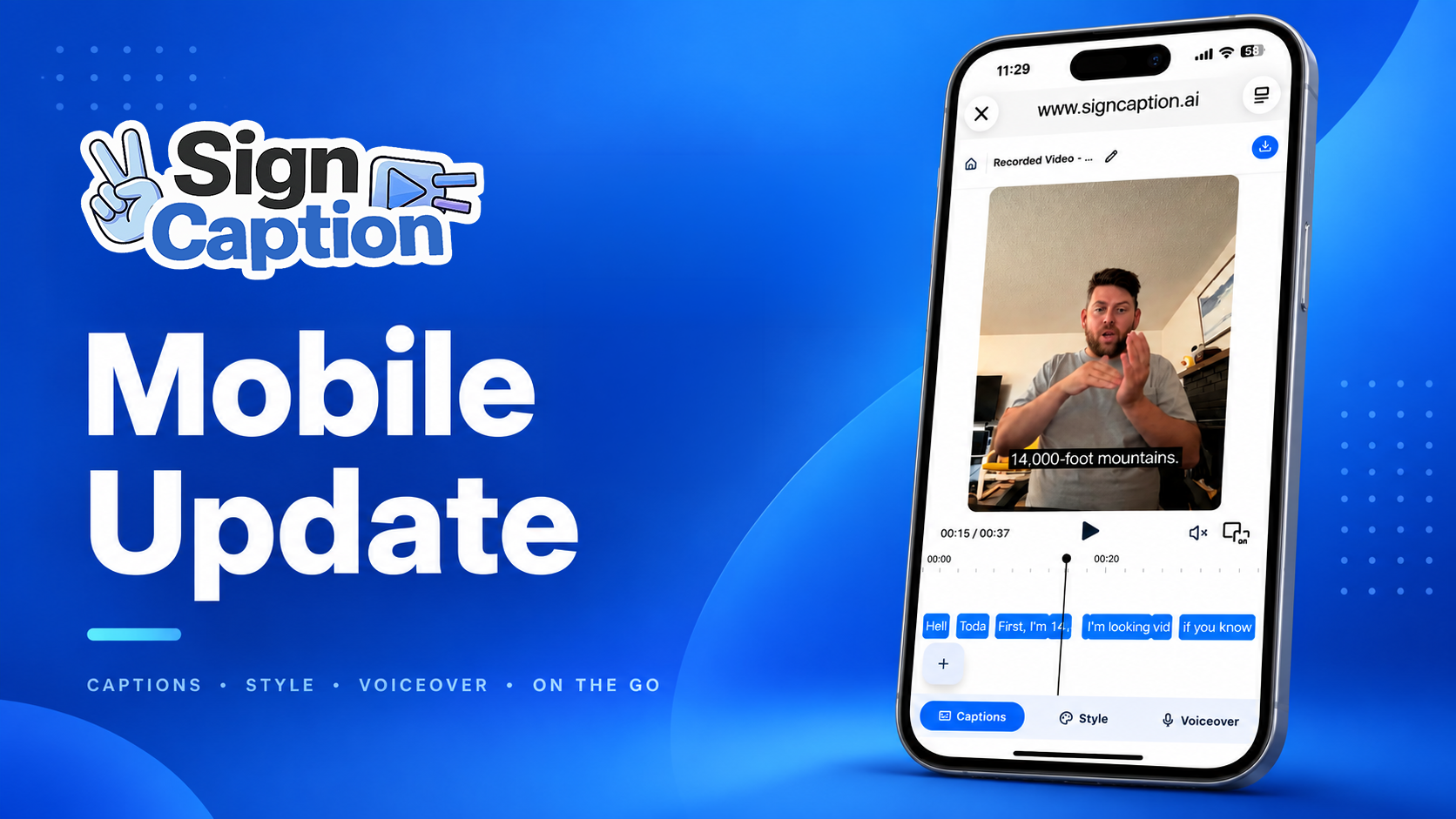
Over the last year, one of the most consistent requests we’ve heard from SignCaption users is simple: **make it easier to create and edit captions directly from a phone.**
Today, that experience is finally here at [https://signcaption.ai](https://signcaption.ai/)
We’ve redesigned the SignCaption mobile editor to make caption editing more intuitive, more familiar, and much easier to use on smaller screens.
## A New Mobile Timeline Editor
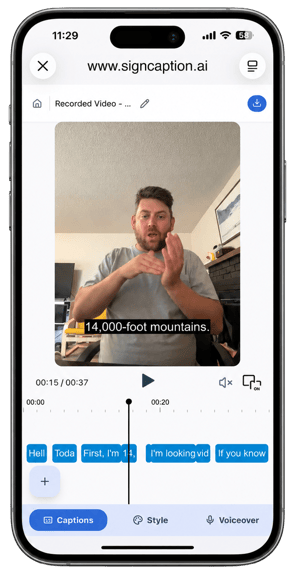
Our new mobile editor brings the core SignCaption editing experience directly to your phone.
The interface was inspired by familiar mobile video-editing experiences, so if you already use platforms like CapCut, Canva, or other mobile editing tools, many of the interactions should feel familiar.
The timeline is fully interactive. You can move through your video by dragging the timeline left or right and quickly jump to the section you want to review.
Caption blocks can also be adjusted directly from the timeline. Select a caption and drag its edges to make the caption appear for a longer or shorter period of time.
We’ve also compressed and reorganized the editor controls specifically for smaller screens while keeping the most important tools easily accessible.
We’re continuing to fine-tune responsiveness across different devices, but our goal is to provide a strong editing experience across modern smartphones, including devices several years old.
### Edit Captions Directly From the Timeline
When you select a caption, additional editing controls become available.
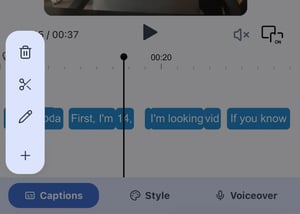
From here, you can:
- **Trash:** Delete the selected caption.
- **Scissors:** Split the selected caption into two separate caption blocks.
- **Pencil:** Edit the text inside the selected caption.
You can also use the **+ button** to add a new caption to your timeline.
The goal is to let you make quick corrections without needing to leave the main editing experience.
### Customize Your Captions With the Style Tab
The **Style** tab gives you control over how your captions appear on screen.
You can adjust the color of your caption text as well as the caption background, allowing you to customize captions to better match your content and improve readability.
We’ll continue expanding these styling controls as we improve the mobile editor.
### Add AI Voiceover From Your Phone
The **Voiceover** tab allows you to generate an AI voice that speaks the text from your captions over your video.
You can select from available voice options and add voiceover directly as part of your editing workflow without switching to another tool.
This means captioning, styling, and voiceover can all be managed from the same mobile editing experience.
### Built for Creating on the Go
The goal of this update is straightforward: **you shouldn’t need to sit at a computer just to finish a captioned video.**
Whether you're recording content, making quick caption corrections, adjusting styling, or preparing a video to share, SignCaption should work wherever you're creating.
This mobile UI is still being refined, and we’d love your feedback.
If you notice an issue, find something confusing, or have an idea for how we can make the mobile experience better, email us at **hello@signcaption.ai**.
## Related Articles
[](https://blog.sign-speak.com/export-captions-as-srt-files-with-signcaption)
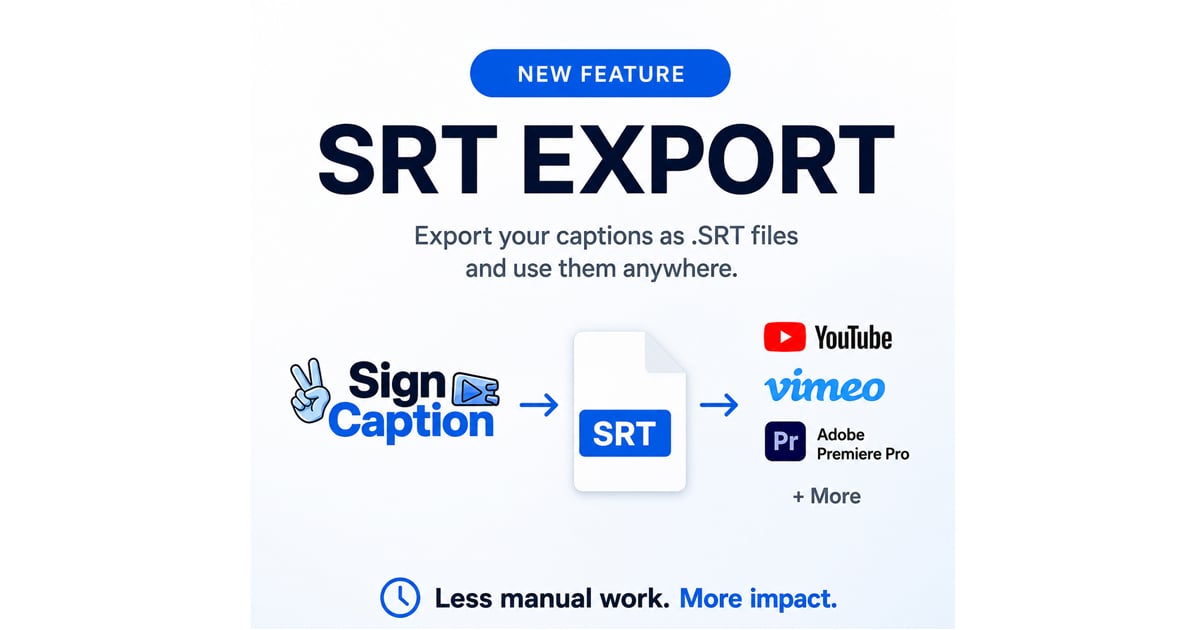
### [Export Captions as SRT Files with SignCaption](https://blog.sign-speak.com/export-captions-as-srt-files-with-signcaption)
Today we're excited to introduce one of our most requested features: **SRT Export**, now available inside SignCaption.
If you've ever needed to take your captions beyond...
[Author: Sign-Speak Team](https://blog.sign-speak.com/author/sign-speak-team)
[Read More](https://blog.sign-speak.com/export-captions-as-srt-files-with-signcaption)
[](https://blog.sign-speak.com/see-the-google-announcement-we-have-sign-language-ai)
### [Saw the Google News? Try Sign Language AI in SignCaption](https://blog.sign-speak.com/see-the-google-announcement-we-have-sign-language-ai)
You may have seen the news about Google's new sign-to-text feature on the Pixel 11. But guess what! SignCaption provides real-time Sign Language AI as well right in your...
[Author: Sign-Speak Team](https://blog.sign-speak.com/author/sign-speak-team)
[Read More](https://blog.sign-speak.com/see-the-google-announcement-we-have-sign-language-ai)

Our mission is to empower the Deaf and Hard of Hearing communities through innovative tools that foster inclusive and seamless communication with hearing individuals.
#### COMPANY
[About](https://sign-speak.com/team) [Careers](https://sign-speak.com/careers) [FAQ](https://sign-speak.com/faq)
#### ORGANIZATIONS
[SignCaption Enterprise](https://sign-speak.com/for-enterprises#caption-asl) [SignLive](https://sign-speak.com/for-enterprises#sign-live) [API/SDK](https://sign-speak.com/for-enterprises#api)
#### DEAF COMMUNITY
[Log In](https://sign-speak.com/community#caption-asl) [Pioneers](https://sign-speak.com/community#pioneers) [Blog](https://blog.sign-speak.com)
#### HELP
[Contact Us](https://sign-speak.com/contact-us) [Terms & Conditions](https://sign-speak.com/legal/customer) [Privacy Policy](https://sign-speak.com/legal/privacy)
© Copyright 2026, All Rights Reserved by Sign-Speak Inc
```json
{
"@context" : "https://schema.org",
"@type" : "VideoObject",
"contentUrl" : "https://9340085.fs1.hubspotusercontent-na1.net/hubfs/9340085/ready1v2.mp4",
"dateModified" : "2026-10-13T16:07:18.450Z",
"duration" : "PT1M56S",
"height" : 1080,
"name" : "ready1v2",
"thumbnailUrl" : "https://9340085.fs1.hubspotusercontent-na1.net/hubfs/9340085/ready1v2.mp4/medium.jpg",
"uploadDate" : "2026-10-13T16:07:18.448Z",
"width" : 1920
}
```